
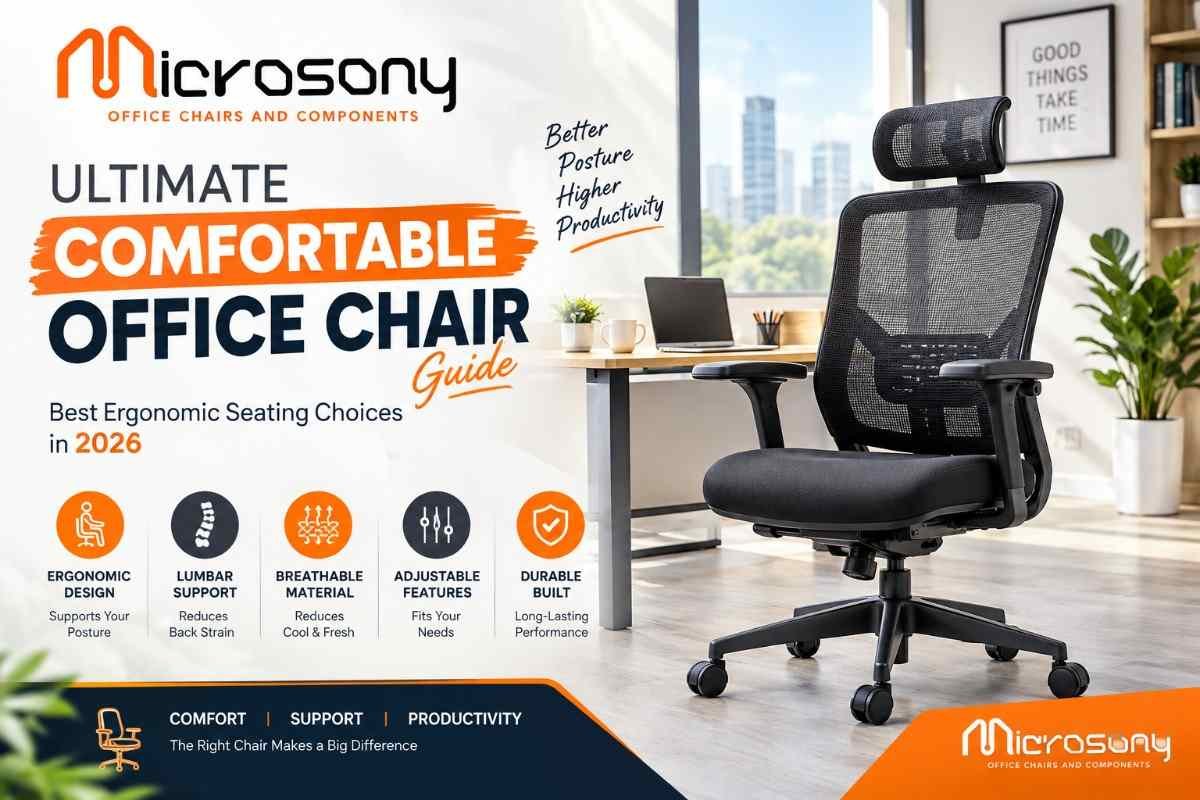
Table of Contents
Introduction
Choosing the right office seating is an important decision for creating a productive, professional, and comfortable workspace. Employees, business owners, managers, entrepreneurs, freelancers, and remote workers can spend several hours every day sitting at a desk. Because of this, selecting a comfortable office chair is about much more than appearance. The right chair can provide appropriate support, better adjustability, and a more pleasant working experience.
Modern offices require furniture that combines functionality with professional design. A good comfortable office chair can complement a workstation while offering features such as adjustable height, lumbar support, armrests, reclining functionality, supportive cushioning, and smooth mobility.
With numerous models available in the market, choosing the right option can sometimes be confusing. Buyers need to consider the chair’s dimensions, material, ergonomic features, construction quality, durability, design, and price before making a final decision.
A comfortable office chair is particularly valuable for professionals who work for long periods at computers. However, comfort is subjective, and the ideal chair depends on the user’s body size, sitting habits, workstation, daily working hours, and personal preferences.
This comprehensive guide explains everything you need to know about choosing suitable office seating in 2026. From ergonomic features and materials to chair types, buying tips, maintenance, and workplace benefits, this guide can help you make a more informed decision.
What Is a Comfortable Office Chair?
A comfortable office chair is designed to provide appropriate seating support while allowing the user to work efficiently at a desk. Unlike basic seating, modern office chairs can include multiple adjustable features that allow users to customize their sitting position.
Important characteristics may include:
- Supportive backrest
- Comfortable seat cushioning
- Adjustable seat height
- Lumbar support
- Adjustable armrests
- Reclining mechanism
- Headrest
- Stable base
- Smooth caster wheels
- 360-degree swivel
The exact combination of features varies between chair models. Some are designed for executive offices, while others are intended for workstations, conference rooms, reception areas, or home offices.
Why Comfortable Office Seating Matters
Workplace seating has a direct relationship with everyday convenience. When employees are uncomfortable, they may frequently change their position or take unnecessary breaks from their tasks.
A comfortable office chair can help create a more supportive workstation when it is correctly adjusted and matched with the desk.
Good office seating can contribute to:
- Better sitting comfort
- Improved workspace organization
- Easier movement
- Adjustable positioning
- Professional office appearance
- Greater convenience during long work sessions
However, a chair should be used together with healthy workplace habits. Regular movement, appropriate desk height, correct monitor placement, and periodic breaks are also important.
Important Features of a Comfortable Office Chair
When purchasing office furniture, understanding the available features can help you compare different models.
1. Adjustable Seat Height
Seat-height adjustment allows users to position the chair according to the height of their desk and their own body proportions.
The feet should be able to rest comfortably on the floor while the user works at the desk.
2. Supportive Backrest
The backrest should provide adequate support across the back. High-back models can offer additional upper-body support, while mid-back designs may be suitable for compact workstations.
3. Lumbar Support
Lumbar support is intended to support the lower-back region. Some chairs have fixed lumbar support, while premium models may provide adjustable lumbar mechanisms.
4. Adjustable Armrests
Armrests can help users position their arms comfortably while typing, using a mouse, or attending online meetings.
5. Reclining Function
A reclining mechanism allows users to change the angle of the backrest. This can provide flexibility during different work activities.
6. Quality Cushioning
Seat cushioning has an important role in overall comfort. High-quality foam can provide a balanced seating experience without becoming excessively soft.
7. Swivel Function
A 360-degree swivel allows users to turn easily while remaining seated.
8. Smooth Wheels
Caster wheels make it easier to move around the workstation. Wheel quality should be considered according to the flooring used in the office.
Ergonomic Benefits of a Comfortable Office Chair
Ergonomics focuses on designing products and workspaces around the needs of the user.
An ergonomic comfortable office chair allows users to adjust important seating elements according to their individual requirements.
Useful ergonomic adjustments can include:
- Seat height
- Armrest position
- Backrest angle
- Lumbar support
- Seat depth
- Headrest position
- Tilt tension
The goal is to create a workstation where the chair, desk, monitor, keyboard, and mouse work together effectively.
Types of Comfortable Office Chairs
Different workplaces require different types of seating.
Ergonomic Office Chairs
Ergonomic models are designed around adjustability and support. They are suitable for employees who spend significant time working at computers.
Executive Chairs
Executive chairs typically feature larger backrests, premium upholstery, generous cushioning, and a sophisticated appearance.
High-Back Office Chairs
High-back models provide an extended backrest and may include headrest support.
Mesh Office Chairs
Mesh chairs are popular because their backrests allow airflow. They can be useful in warm environments.
Task Chairs
Task chairs are generally designed for everyday workstation activities and can be suitable for employees who require practical seating.
Conference Chairs
Conference chairs are designed for meeting rooms, boardrooms, and discussion areas.
Visitor Chairs
Visitor chairs are commonly used in reception areas, waiting rooms, consultation spaces, and meeting areas.
Choosing a Comfortable Office Chair for Long Working Hours
Professionals who work for six, eight, or more hours at a desk should pay particular attention to chair quality.
A comfortable office chair for long working sessions should provide suitable cushioning, back support, adjustability, and stability.
Consider the following:
Seat Comfort
The seat should provide sufficient support without creating excessive pressure.
Back Support
The backrest should support the user’s preferred sitting position.
Adjustability
Adjustable features allow the chair to be customized.
Breathability
Mesh or breathable upholstery can be useful in warm environments.
Mobility
Smooth wheels and a stable base can make movement around the workstation easier.
Comfortable Office Chair for Home Office
Home offices have become an important part of modern work culture. Remote professionals need furniture that supports both productivity and everyday comfort.
A comfortable office chair for a home workspace should fit the available room and desk.
Before purchasing, measure:
- Desk height
- Available floor space
- Chair width
- Chair depth
- Backrest height
- Distance between furniture
For smaller rooms, a compact ergonomic model can provide useful functionality without occupying excessive space.
Comfortable Office Chair for Corporate Offices
Corporate offices often require large quantities of seating for employees, managers, meeting rooms, and visitors.
A comfortable office chair can become an important part of workplace furniture planning.
Businesses should consider:
- Number of employees
- Working hours
- Type of work
- Office layout
- Employee requirements
- Maintenance
- Warranty
- Budget
For bulk purchases, companies should compare product specifications rather than choosing solely according to appearance or price.
Materials Used in Office Chairs
The material used in a chair affects its appearance, maintenance, breathability, and durability.
Fabric
Fabric upholstery provides a soft appearance and is available in many colors and textures.
Mesh
Mesh allows airflow and is frequently used in ergonomic office seating.
Synthetic Leather
Synthetic leather provides a smooth, professional appearance and is relatively easy to clean.
Genuine Leather
Genuine leather is associated with premium executive seating and requires appropriate maintenance.
Plastic
Plastic can be used for chair shells, armrests, structural parts, and other components.
Metal
Metal is commonly used in bases, frames, and structural components where strength is required.
Comfortable Office Chair and Workplace Productivity
Comfort can influence the overall working experience. Employees who have suitable seating may find it easier to remain focused on desk-based activities.
A comfortable office chair can contribute to a better workstation by supporting appropriate positioning and reducing the need for constant seating adjustments.
Productivity also depends on several other factors, including:
- Office lighting
- Workload
- Computer equipment
- Workspace organization
- Noise levels
- Break schedules
- Desk arrangement
Therefore, office seating should be considered as one part of a complete workplace environment.
How to Choose the Right Size
Chair size is often overlooked when people compare office furniture.
A comfortable office chair should match the user’s body dimensions.
Check:
- Seat width
- Seat depth
- Backrest height
- Overall height
- Armrest position
- Weight capacity
- Recommended user height
A chair that is too small may restrict movement, while an oversized model may not provide the desired support.
Always review manufacturer specifications before purchasing.
Importance of Seat Cushioning
Cushioning affects how a chair feels during daily use.
A comfortable office chair should provide sufficient cushioning while maintaining appropriate support.
Very soft seats can initially feel comfortable but may not provide the desired support over extended periods. High-quality foam and carefully designed seat structures can offer a better balance between cushioning and stability.
The ideal cushioning also depends on individual preference and the expected duration of use.
Importance of Lumbar Support
The lower back can experience pressure during prolonged sitting.
A comfortable office chair with suitable lumbar support can provide additional support around the natural curve of the lower back.
Different users may prefer different levels of lumbar support. Adjustable systems can provide greater customization.
When testing a chair, check whether the lumbar area feels supportive without creating excessive pressure.
Comfortable Office Chair with Adjustable Armrests
Armrests are useful for supporting the arms during computer work.
A comfortable office chair with adjustable armrests can allow users to position their arms according to their desk height and preferred working position.
Good armrests should be sturdy and comfortable. Some models provide height, width, depth, or angle adjustments.
When the armrests are correctly positioned, users can maintain a more comfortable relationship between their arms and the keyboard.
Reclining and Tilt Mechanisms
Reclining features allow users to change their backrest position.
A comfortable office chair with a quality tilt mechanism can provide flexibility throughout the working day.
Users may prefer a more upright position while typing and a slightly reclined position during reading, video calls, or short breaks.
The mechanism should operate smoothly and provide sufficient stability.
Mesh vs Upholstered Office Chairs
Both mesh and upholstered chairs have advantages.
Mesh Chairs
Advantages include:
- Airflow
- Lightweight appearance
- Modern design
- Easy ventilation
Upholstered Chairs
Advantages include:
- Soft seating experience
- Wide design variety
- Premium appearance
- Multiple fabric choices
The right choice depends on office temperature, personal preference, design requirements, and maintenance expectations.
Comfortable Office Chair for Different Users
Different professionals may have different seating requirements.
Employees
Employees who work at computers may prioritize ergonomic adjustments.
Managers
Managers may prefer chairs that combine comfort with professional styling.
Executives
Executives often select premium chairs with larger backrests and advanced features.
Students
Students may prefer compact, adjustable seating for study and computer use.
Remote Workers
Remote workers often require versatile seating suitable for both professional and personal activities.
Business Owners
Business owners may prioritize durability, appearance, and long-term value.
Comfortable Office Chair for Small Workspaces
Modern homes and offices sometimes have limited floor space.
A comfortable office chair for a compact workspace should fit comfortably underneath or around the desk.
Consider a chair with:
- Compact dimensions
- Appropriate seat width
- Smooth caster movement
- Adjustable height
- Practical backrest design
Avoid choosing an oversized chair simply because it has more padding or features.
Office Chair Design and Appearance
Office furniture contributes to the visual identity of a workplace.
A comfortable office chair can combine practical features with a professional appearance.
Popular design styles include:
- Minimalist
- Contemporary
- Executive
- Modern ergonomic
- Premium
- Industrial
- Corporate
Choose a style that complements the desk, flooring, walls, lighting, and overall office interior.
Common Mistakes When Buying Office Chairs
Many buyers make mistakes because they focus only on appearance or price.
Choosing Only by Appearance
A visually attractive chair may not provide suitable support.
Ignoring Dimensions
Always check product measurements.
Not Testing Adjustability
Make sure the adjustment mechanisms are suitable for your requirements.
Ignoring Material
Choose upholstery according to climate, usage, and maintenance.
Buying Without Checking Weight Capacity
Always review the manufacturer’s recommended capacity.
Ignoring Desk Height
The chair should work properly with the desk.
Focusing Only on Price
The cheapest option may not always provide the best long-term value.
How to Buy a Comfortable Office Chair
Follow a systematic buying process.
Step 1: Identify Your Requirements
Determine how many hours you will use the chair each day.
Step 2: Measure Your Workspace
Measure the desk and available floor space.
Step 3: Select the Chair Type
Choose between ergonomic, executive, high-back, mesh, task, visitor, or conference seating.
Step 4: Compare Features
Review height adjustment, armrests, lumbar support, recline, and cushioning.
Step 5: Check Materials
Select the upholstery according to your climate and maintenance preferences.
Step 6: Review Components
Check the base, wheels, gas lift, frame, and adjustment mechanisms.
Step 7: Compare Value
Consider quality, durability, warranty, and expected usage.
Maintenance Tips
Regular maintenance can help preserve the appearance and performance of office furniture.
A comfortable office chair should be cleaned and inspected periodically.
Clean the Upholstery
Remove dust and stains according to the manufacturer’s instructions.
Check the Wheels
Remove dust, hair, and debris from caster wheels.
Inspect the Base
Check the base periodically for visible damage.
Check Adjustment Mechanisms
Make sure height and reclining mechanisms operate correctly.
Tighten Loose Components
Loose screws or fittings should be addressed promptly.
Follow Weight Recommendations
Avoid exceeding the recommended user capacity.
How to Improve Your Office Chair Setup
Even the best chair needs to be adjusted correctly.
Start by setting the seat height according to the desk. Position your feet comfortably and adjust the backrest according to your preferred sitting position.
Next, position the armrests so that your arms can rest comfortably while using the keyboard and mouse.
The monitor should also be positioned appropriately relative to your line of sight.
Finally, remember to stand, walk, stretch, and change positions regularly during extended periods of desk work.
2026 Trends in Office Seating
Office furniture continues to evolve with changing workplace requirements.
Important trends in 2026 include:
- Ergonomic designs
- Breathable mesh
- Adjustable armrests
- Integrated lumbar support
- Premium executive seating
- Minimalist designs
- Hybrid work furniture
- Compact office chairs
- Durable components
- Multi-purpose seating
Modern buyers increasingly want furniture that can be used across professional, home, and flexible work environments.
Comfortable Office Chair Buying Checklist
Before purchasing, use this checklist:
- Check seat dimensions
- Check backrest height
- Review weight capacity
- Test seat cushioning
- Check lumbar support
- Review armrest adjustment
- Check reclining function
- Inspect wheels
- Review base construction
- Compare upholstery
- Check warranty
- Consider maintenance
- Compare overall value
This checklist can help you avoid unnecessary purchases and choose seating that matches your actual requirements.
Why Choose Microsony?
Microsony is associated with office chairs and chair components and has more than 25 years of industry experience. The company focuses on seating solutions and chair components for professional requirements.
When selecting a comfortable office chair, buyers should consider the quality of the chair as well as the components used in its construction.
Microsony can be considered for different office seating requirements, including:
- Ergonomic office chairs
- Executive chairs
- High-back chairs
- Director chairs
- Task chairs
- Visitor chairs
- Conference chairs
- Chair components
- Commercial seating solutions
Businesses and professionals can compare products based on intended usage, design, materials, comfort, durability, and required features.
Microsony Contact Details
Phone: 9890054488
Website: www.microsony.com
Instagram: @micro_sony
Benefits of Investing in Quality Office Seating
A comfortable office chair can be a valuable part of a well-planned workspace.
Some potential advantages include:
Improved Comfort
Appropriate cushioning and support can make desk work more pleasant.
Better Adjustability
Adjustable features allow users to personalize their seating position.
Professional Appearance
Quality office furniture can improve the appearance of corporate interiors.
Long-Term Value
Durable construction can reduce the need for frequent replacement.
Workspace Flexibility
Many modern chairs can be used for work, meetings, study, and other computer-based activities.
How to Compare Different Office Chairs
When comparing products, create a list of your most important requirements.
For example, if you work eight hours per day, prioritize ergonomic features and adjustability. If you need seating for a reception area, prioritize durability, appearance, and easy maintenance.
A comfortable office chair should be compared based on its complete specification rather than one individual feature.
Compare:
- Materials
- Dimensions
- Ergonomics
- Adjustability
- Components
- Warranty
- Design
- Maintenance
- Intended usage
- Overall value
FAQs About Comfortable Office Chairs
1. What makes an office chair comfortable?
A comfortable office chair generally combines suitable cushioning, back support, adjustability, appropriate dimensions, and quality construction. Individual preferences should also be considered.
2. Which office chair is best for long working hours?
An ergonomic model with adjustable height, lumbar support, comfortable cushioning, and suitable armrests can be a good choice for extended desk work.
3. Is a mesh chair better than a leather chair?
Both materials have different benefits. Mesh offers airflow, while leather-style upholstery can provide a premium appearance and easy surface cleaning.
4. Should an office chair have lumbar support?
Lumbar support can provide additional support around the lower-back area and is a useful feature for many desk users.
5. Are high-back office chairs comfortable?
High-back designs can provide additional support across the upper body and may be preferred by users who want a larger backrest.
6. How do I select the right office chair size?
Check the seat width, depth, backrest height, seat-height range, and manufacturer’s recommended user dimensions.
7. Are ergonomic chairs suitable for home offices?
Yes. Ergonomic seating can be suitable for home offices, particularly for people who spend several hours working at a computer.
8. How should I maintain an office chair?
Clean the upholstery regularly, inspect wheels and mechanisms, tighten loose fittings, and follow the manufacturer’s maintenance instructions.
9. Does an expensive office chair guarantee better comfort?
Not necessarily. Price can reflect materials and features, but the best chair is one that matches the user’s body, workstation, preferences, and requirements.
10. What should I check before purchasing?
Review dimensions, materials, ergonomics, weight capacity, components, warranty, maintenance requirements, and intended usage.
Conclusion
Selecting the right office seating is an important part of creating an efficient and professional workspace. A comfortable office chair can provide useful support, adjustability, and convenience for professionals who spend significant time at a desk.
The ideal chair depends on the individual user. Factors such as height, body proportions, working hours, desk dimensions, room size, preferred materials, and budget should all be considered before making a purchase.
Ergonomic features such as adjustable seat height, lumbar support, armrests, reclining mechanisms, supportive cushioning, and suitable backrest design can make office seating more adaptable.
However, purchasing a chair is only one part of creating a comfortable workstation. The desk, monitor, keyboard, mouse, lighting, and workspace layout should also be arranged appropriately. Regular movement and breaks are important during long periods of sitting.
In 2026, modern office furniture is increasingly focused on combining comfort, functionality, durability, and professional design. Whether you are furnishing a corporate office, home office, startup, coworking space, reception area, or executive cabin, careful product comparison can help you make a better investment.
Microsony, with more than 25 years of experience in office chairs and chair components, provides seating-related solutions for professional environments. Buyers can evaluate products according to their individual requirements and compare features, materials, components, and overall value.
Ultimately, choosing the right office chair is not simply about selecting the most expensive model or the one with the most features. It is about finding the right balance between comfort, support, adjustability, durability, design, and practical use.
If you are planning to upgrade your workspace in 2026, take the time to compare your options, understand the features you actually need, and select seating that fits your working environment. A well-chosen chair can become an important part of a productive, organized, and comfortable workspace.