
Table of Contents
Introduction
An office chair for programmers is much more than a standard piece of office furniture. For software developers, web developers, engineers, data analysts, cybersecurity professionals, and other IT experts, a chair is an essential tool that directly influences comfort, posture, focus, and productivity. Since programming often involves sitting in front of multiple monitors for extended periods, choosing the right seating solution is one of the most important investments for maintaining both physical well-being and work performance.
Modern programmers frequently spend between six and twelve hours each day writing code, debugging applications, attending virtual meetings, testing software, reviewing documentation, and collaborating with development teams. Remaining seated for such long durations without proper ergonomic support can lead to neck pain, lower back discomfort, shoulder stiffness, poor circulation, wrist fatigue, and reduced concentration. These issues not only affect health but can also decrease efficiency and increase workplace fatigue.
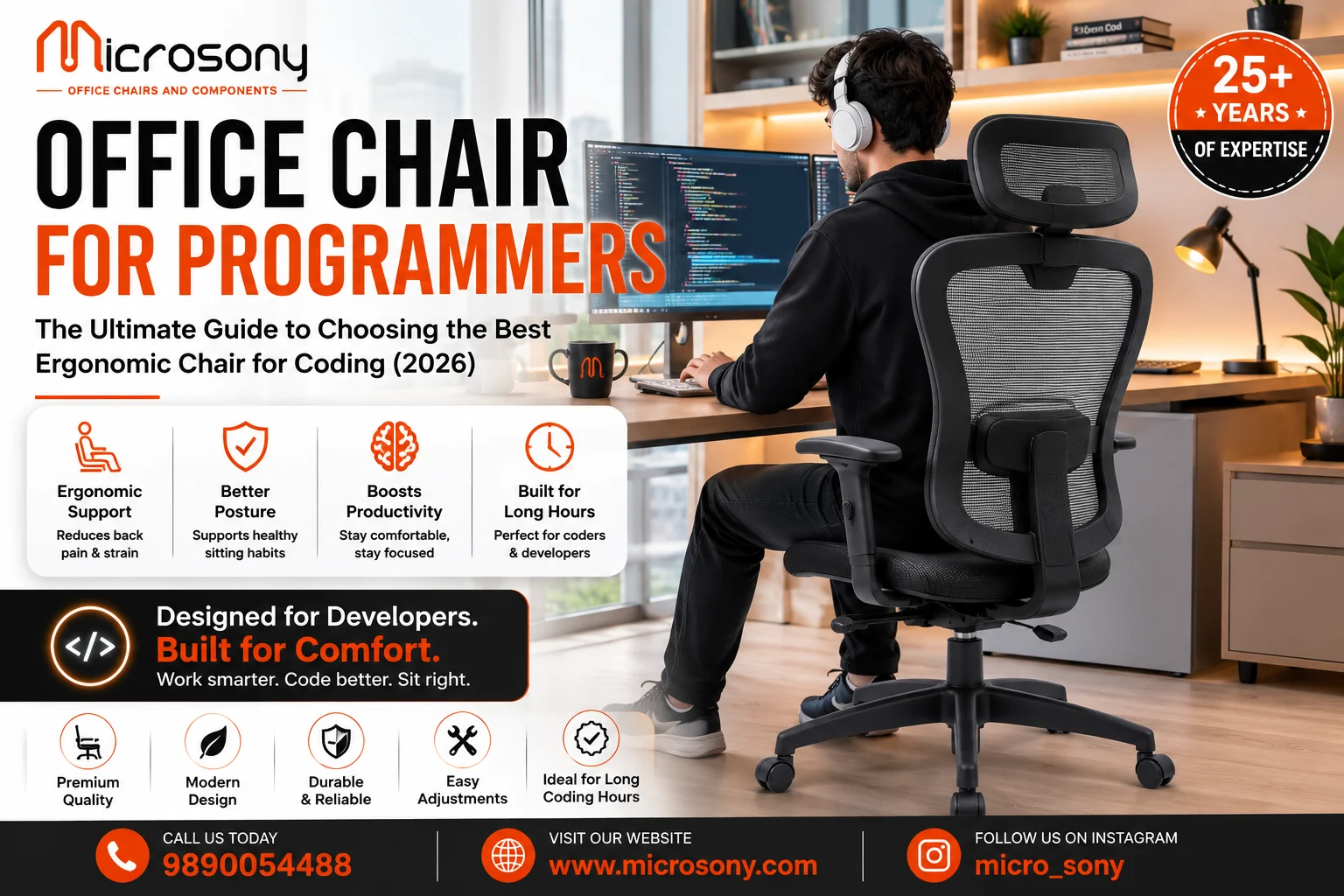
Unlike ordinary office seating, ergonomic chairs designed for programming offer features that adapt to the user’s body and working habits. Adjustable lumbar support, customizable armrests, reclining mechanisms, breathable mesh backrests, adjustable seat depth, and supportive headrests all work together to promote healthier posture throughout long coding sessions. These ergonomic features help reduce physical strain while allowing programmers to remain comfortable and focused for extended periods.
Today’s workplaces have also evolved significantly. Whether working from a corporate office, home office, co-working space, or hybrid work environment, professionals require furniture that supports long-term comfort without compromising style or functionality. Manufacturers now offer a wide variety of ergonomic seating options suitable for developers, from lightweight mesh task chairs to premium executive models equipped with advanced ergonomic adjustments.
This comprehensive guide explains everything you need to know before purchasing an office chair for programmers. You’ll learn about ergonomic benefits, essential features, different chair types, materials, posture recommendations, maintenance tips, buying factors, and frequently asked questions to help you select the ideal chair for years of comfortable coding.
Why Programmers Need a Specialized Office Chair
Programming is one of the few professions where individuals often remain seated for several uninterrupted hours while maintaining intense mental focus. Unlike occupations that involve frequent movement, software development requires continuous attention to detail, logical thinking, and repetitive keyboard and mouse use. Because of this unique work pattern, choosing the right Office Chair for Programmers is essential for maintaining comfort, supporting healthy posture, and improving productivity throughout the workday. A well-designed Office Chair for Programmers provides the ergonomic support necessary for developers who spend long hours coding, unlike many standard office chairs that may lack advanced adjustment features.
A high-quality Office Chair for Programmers helps distribute body weight evenly, supports the natural curve of the spine, reduces pressure on the hips, and minimizes strain on the shoulders and neck. Features such as adjustable lumbar support, customizable armrests, seat height adjustment, breathable backrests, and reclining mechanisms make an Office Chair for Programmers an ideal choice for professionals who work at a computer for extended periods. These ergonomic adjustments allow users to personalize their Office Chair for Programmers according to their body size and work preferences, creating a healthier and more comfortable working environment.
Comfort also has a direct relationship with productivity. Developers who experience fewer physical distractions are better able to concentrate on writing efficient code, solving complex technical problems, debugging applications, and participating in collaborative discussions. Investing in an Office Chair for Programmers not only improves daily comfort but also enhances focus, efficiency, and overall work performance. Whether working in a corporate office or a home workspace, an ergonomic Office Chair for Programmers helps maintain proper posture and reduces fatigue throughout the day.
Additionally, many programmers now work remotely or follow hybrid work schedules, making their home office setup just as important as a traditional workplace. A durable Office Chair for Programmers becomes a long-term investment that supports coding, software development, online meetings, learning, gaming, and other computer-based activities. The best Office Chair for Programmers combines ergonomic design, premium materials, and adjustable features to provide lasting comfort and support. By choosing the right Office Chair for Programmers, developers can maintain better posture, reduce physical strain, improve concentration, and stay productive during long hours at their workstation. For anyone spending most of the day in front of a computer, an Office Chair for Programmers is an essential part of a healthy and efficient workspace.
Benefits of an Office Chair for Programmers
Promotes Healthy Posture
Proper spinal alignment reduces stress on the lower back, shoulders, and neck, allowing programmers to maintain a natural sitting position during extended coding sessions.
Reduces Back Pain
Ergonomic lumbar support helps minimize pressure on the lumbar spine, reducing discomfort associated with prolonged sitting.
Improves Productivity
Comfortable seating enables developers to focus on programming tasks instead of constantly adjusting their posture or dealing with physical discomfort.
Minimizes Neck and Shoulder Strain
Adjustable headrests and armrests reduce muscle tension in the upper body, especially during long hours of typing and mouse usage.
Enhances Blood Circulation
Proper seat height and cushioning improve circulation in the legs, reducing numbness and fatigue.
Supports Long Working Hours
Whether coding for eight hours or participating in marathon development sessions, ergonomic chairs help maintain consistent comfort throughout the day.
Increases Long-Term Health
Good seating habits reduce the risk of repetitive strain injuries, chronic back pain, and posture-related problems.
Essential Features to Look For
Adjustable Lumbar Support
One of the most important ergonomic features is lumbar support that follows the natural curve of the lower spine.
Adjustable Seat Height
The chair should allow both feet to rest comfortably on the floor while maintaining approximately 90-degree knee angles.
Breathable Mesh Back
Mesh improves airflow, keeping programmers cool during extended work sessions.
Adjustable Armrests
Proper arm support reduces shoulder fatigue and keeps wrists aligned while typing.
Seat Depth Adjustment
Different body sizes require different seat depths to properly support the thighs without placing pressure behind the knees.
Reclining Backrest
Dynamic reclining encourages movement and reduces spinal pressure throughout the day.
Headrest
A supportive headrest provides additional comfort during breaks and video meetings.
Smooth Casters
High-quality wheels allow easy movement without disrupting workflow.
Durable Base
Steel or reinforced nylon bases provide excellent stability and long service life.
Types of Office Chairs Suitable for Programmers
Ergonomic Mesh Chairs
Mesh chairs are among the most popular choices for programmers because they offer excellent ventilation and ergonomic support.
Advantages
- Breathable material
- Lightweight design
- Modern appearance
- Excellent lumbar support
- Ideal for long coding sessions
Executive Office Chairs
Executive models combine luxurious appearance with advanced ergonomic adjustments.
Best for:
- Senior developers
- Team leaders
- Managers
- Private offices
Task Chairs
Task chairs provide essential ergonomic support in compact workspaces.
Suitable for:
- Home offices
- Freelancers
- Students
- Small businesses
Gaming Chairs
Many programmers choose gaming chairs because they provide extensive adjustment options.
Features include:
- Reclining backrests
- Adjustable armrests
- Head pillows
- Lumbar cushions
- High back support
Hybrid Ergonomic Chairs
Hybrid designs combine premium office ergonomics with modern aesthetics for maximum comfort and versatility.
Importance of Ergonomics When Choosing an Office Chair for Programmers
Programming is a profession that demands prolonged concentration, precision, and minimal body movement. Developers often spend six to twelve hours a day writing code, debugging applications, reviewing documentation, and participating in virtual meetings. Without proper ergonomic support, sitting for extended periods can gradually lead to several health issues that affect both productivity and overall well-being. This is why choosing the right office chair for programmers is essential for creating a healthier and more comfortable workspace.
Poor seating posture and an unsuitable chair can contribute to a variety of physical problems, including:
- Lower back pain
- Neck stiffness
- Shoulder tension
- Wrist discomfort
- Hip pain
- Muscle fatigue
- Poor blood circulation
- Increased risk of repetitive strain injuries (RSIs)
A high-quality office chair for programmers is specifically designed to support the body’s natural posture during long coding sessions. Features such as adjustable lumbar support, customizable armrests, seat height adjustment, reclining backrests, breathable mesh materials, and headrests help maintain proper spinal alignment while reducing unnecessary pressure on muscles and joints. These ergonomic features encourage a neutral sitting position, allowing programmers to work comfortably for extended periods without placing excessive strain on their bodies.
In addition to improving physical comfort, ergonomic seating also has a positive impact on mental performance. Developers who maintain healthy posture often experience better concentration, improved focus, higher productivity, and reduced fatigue throughout the workday. By minimizing discomfort and promoting proper body alignment, an office chair for programmers enables professionals to stay engaged in complex coding tasks while supporting long-term health and workplace efficiency.
Materials Used in Programmer Office Chairs
Mesh
Offers superior ventilation and flexibility.
PU Leather
Easy to clean and provides a professional appearance.
Genuine Leather
Premium option with exceptional durability.
Fabric Upholstery
Soft, comfortable, and available in multiple colors.
High-Density Foam
Maintains cushioning for years without losing support.
Aluminum Frames
Lightweight yet extremely durable.
Reinforced Nylon
Provides excellent structural strength while reducing chair weight.
How to Choose the Right Office Chair for Programming
Before making a purchase, consider several important factors.
Daily Working Hours
The longer you sit, the greater the importance of ergonomic features.
Body Size
Choose dimensions appropriate for your height and weight.
Workspace
Ensure the chair fits comfortably beneath your desk.
Adjustment Options
Greater customization improves long-term comfort.
Budget
Balance affordability with durability and ergonomic quality.
Warranty
Long warranties often indicate superior build quality.
Common Mistakes to Avoid When Buying an Office Chair for Programmers
Choosing the right office chair for programmers is essential for maintaining comfort, productivity, and long-term health. However, many developers unknowingly make purchasing and usage mistakes that reduce the ergonomic benefits of their chair. Since programmers spend long hours coding, debugging, and attending virtual meetings, even small errors in chair selection or sitting habits can lead to back pain, neck stiffness, shoulder strain, and decreased work efficiency. Understanding these common mistakes can help you make a smarter investment and create a healthier workspace.
Some of the most common mistakes include:
- Buying a chair based only on appearance rather than focusing on ergonomic features, comfort, and long-term support.
- Ignoring lumbar support, which is essential for maintaining the natural curve of the spine and preventing lower back pain.
- Choosing fixed armrests instead of adjustable ones, making it difficult to maintain a comfortable position while typing or using a mouse.
- Selecting a chair with poor-quality foam or padding, which may lose its shape quickly and become uncomfortable during extended coding sessions.
- Not adjusting the chair properly after purchase. Even the best office chair for programmers requires correct seat height, backrest angle, lumbar support, and armrest adjustments to provide maximum comfort.
- Using a chair that is too high or too low, leading to poor posture, leg discomfort, and unnecessary pressure on the knees and hips.
- Ignoring regular maintenance, such as tightening screws, cleaning the upholstery, and checking the wheels and adjustment mechanisms, which can reduce the chair’s lifespan.
- Remaining in the same sitting position for several hours without taking breaks, increasing the risk of muscle fatigue, poor circulation, and repetitive strain injuries.
Avoiding these mistakes will help you get the maximum value from your office chair for programmers while improving posture, reducing physical discomfort, and supporting better productivity throughout the workday. A properly selected and correctly adjusted ergonomic chair can make a significant difference in both your daily comfort and long-term health.
Proper Sitting Posture When Using an Office Chair for Programmers
Even the best office chair for programmers cannot deliver its full ergonomic benefits without proper sitting habits. While an ergonomic chair provides excellent lumbar support, adjustable armrests, and customizable seating positions, maintaining the correct posture is equally important for preventing fatigue, reducing muscle strain, and improving productivity during long coding sessions. Programmers often spend several hours writing code, debugging applications, and attending virtual meetings, making healthy sitting habits essential for long-term comfort and well-being.
To get the maximum benefit from your office chair for programmers, follow these ergonomic recommendations:
- Keep both feet flat on the floor or on a footrest to maintain proper balance and improve blood circulation.
- Adjust the chair so your knees remain at approximately a 90-degree angle, with your thighs parallel to the floor.
- Position your computer monitor at eye level to minimize neck strain and maintain a neutral head position.
- Keep your shoulders relaxed instead of lifting or hunching them while typing.
- Rest your elbows close to your body at an angle of about 90 degrees, allowing the armrests to support your forearms comfortably.
- Ensure the lumbar support fits the natural curve of your lower back to maintain healthy spinal alignment.
- Keep your wrists in a neutral position while using the keyboard and mouse to reduce unnecessary strain.
- Take short movement or stretching breaks every 30 to 60 minutes to improve circulation and reduce muscle fatigue.
- Whenever possible, alternate between sitting and standing by using a height-adjustable desk to encourage movement throughout the workday.
By combining proper posture with a high-quality office chair for programmers, developers can significantly reduce the risk of back pain, neck stiffness, shoulder tension, and repetitive strain injuries while improving focus, comfort, and overall work performance.
Maintaining Your Office Chair
Proper maintenance extends chair lifespan significantly.
Regularly vacuum mesh or fabric surfaces.
Clean leather upholstery with appropriate products.
Tighten screws periodically.
Lubricate moving parts when necessary.
Inspect casters regularly.
Avoid exceeding weight limits.
Protect the chair from prolonged direct sunlight.
Follow manufacturer care recommendations.
Why Businesses Should Invest in Ergonomic Chairs for Developers
Technology companies increasingly recognize that comfortable employees are more productive employees, especially when it comes to software developers and IT professionals who spend long hours at their desks. Investing in an office chair for programmers is not just about upgrading office furniture; it is a strategic decision that supports employee well-being, improves workplace efficiency, and contributes to long-term business success. Programmers often work for extended periods while coding, debugging applications, testing software, and attending virtual meetings. Without proper ergonomic support, they may experience back pain, neck strain, shoulder discomfort, and fatigue, all of which can negatively affect productivity and job satisfaction.
Providing a high-quality office chair for programmers helps create a healthier and more comfortable work environment. Ergonomic seating encourages proper posture, reduces physical stress, and enables developers to stay focused on complex tasks without unnecessary distractions caused by discomfort. As a result, employees can work more efficiently, collaborate better with their teams, and maintain consistent performance throughout the day.
Businesses that invest in ergonomic seating can enjoy several long-term benefits, including increased productivity, improved employee satisfaction, better workplace wellness, reduced absenteeism due to posture-related health issues, enhanced employee retention, lower long-term healthcare costs, and a more professional office appearance. These advantages not only improve the daily work experience for developers but also strengthen the organization’s reputation as an employer that values employee health and comfort.
Ultimately, investing in an office chair for programmers is a smart business decision that supports both employee well-being and organizational growth. By providing ergonomic seating designed for long coding sessions, companies can foster a healthier, more productive, and more engaged workforce while creating a modern workplace that attracts and retains top technical talent.
Future Trends in Programmer Office Chairs
Modern ergonomic seating continues evolving.
Emerging trends include:
- AI-assisted posture monitoring
- Smart ergonomic sensors
- Sustainable materials
- Lightweight aluminum frames
- 4D adjustable armrests
- Dynamic lumbar systems
- Flexible reclining technology
- Eco-friendly manufacturing
- Minimalist aesthetics
- Hybrid work furniture
Conclusion
Choosing the right office chair for programmers is one of the most important investments for anyone who spends long hours writing code or working at a computer. An ergonomic chair provides more than comfort—it supports healthier posture, reduces physical strain, improves productivity, and contributes to long-term well-being.
Features such as adjustable lumbar support, breathable mesh, customizable armrests, reclining mechanisms, seat depth adjustment, and durable construction all contribute to a healthier working environment. Whether you’re a professional software developer, freelancer, student, game developer, DevOps engineer, or remote worker, selecting a chair that fits your body and work habits can make a significant difference in both comfort and performance.
While premium ergonomic chairs may require a larger initial investment, their durability, health benefits, and productivity improvements often outweigh the cost over time. By choosing quality seating and maintaining healthy sitting habits, programmers can create a workspace that supports both their professional success and physical health for many years.
Frequently Asked Questions (FAQs)
1. What is the best office chair for programmers?
The best office chair for programmers is an ergonomic model with adjustable lumbar support, armrests, seat height, reclining backrest, and breathable materials to provide comfort during long coding sessions.
2. Why do programmers need ergonomic chairs?
Programmers spend extended periods sitting at a computer. Ergonomic chairs reduce back pain, improve posture, minimize fatigue, and support overall productivity.
3. Is a mesh chair better than a leather chair for programming?
Mesh chairs offer better airflow and are ideal for long working hours, while leather chairs provide a premium appearance and additional cushioning. The best choice depends on personal preference and workspace conditions.
4. How many hours can I comfortably sit in an ergonomic chair?
A high-quality ergonomic chair can support 8–10 hours of daily work, although it is still recommended to stand up and stretch every 30–60 minutes.
5. Are adjustable armrests important for programmers?
Yes. Adjustable armrests help support the forearms, reduce shoulder strain, and maintain proper wrist alignment while typing.
6. Can an ergonomic chair help reduce back pain?
Yes. Proper lumbar support and customizable adjustments help maintain spinal alignment and reduce lower back discomfort.
7. Should programmers choose a chair with a headrest?
A headrest is beneficial for relaxation during breaks and provides additional neck support during long work sessions or video meetings.
8. How long does a quality ergonomic office chair last?
With proper maintenance, a premium ergonomic office chair can last between 7 and 10 years, depending on usage and build quality.
9. What should I consider before buying an office chair for programming?
Look for lumbar support, adjustable armrests, breathable materials, seat depth adjustment, weight capacity, build quality, warranty, and overall ergonomics.
10. Is investing in an ergonomic chair worth it?
Absolutely. A quality ergonomic chair improves comfort, supports healthier posture, enhances productivity, and helps prevent long-term musculoskeletal issues, making it a valuable investment for programmers and other computer professionals.